01 Report Issue
Asset MTR-204Online
QR
Scan Asset
PhotoVoice NoteIssue Type
Bearing Noise DetectedAssembly Line 02 · Motor
Capture the problem at the asset with QR, photo, voice and context — no paper, no disconnected calls.
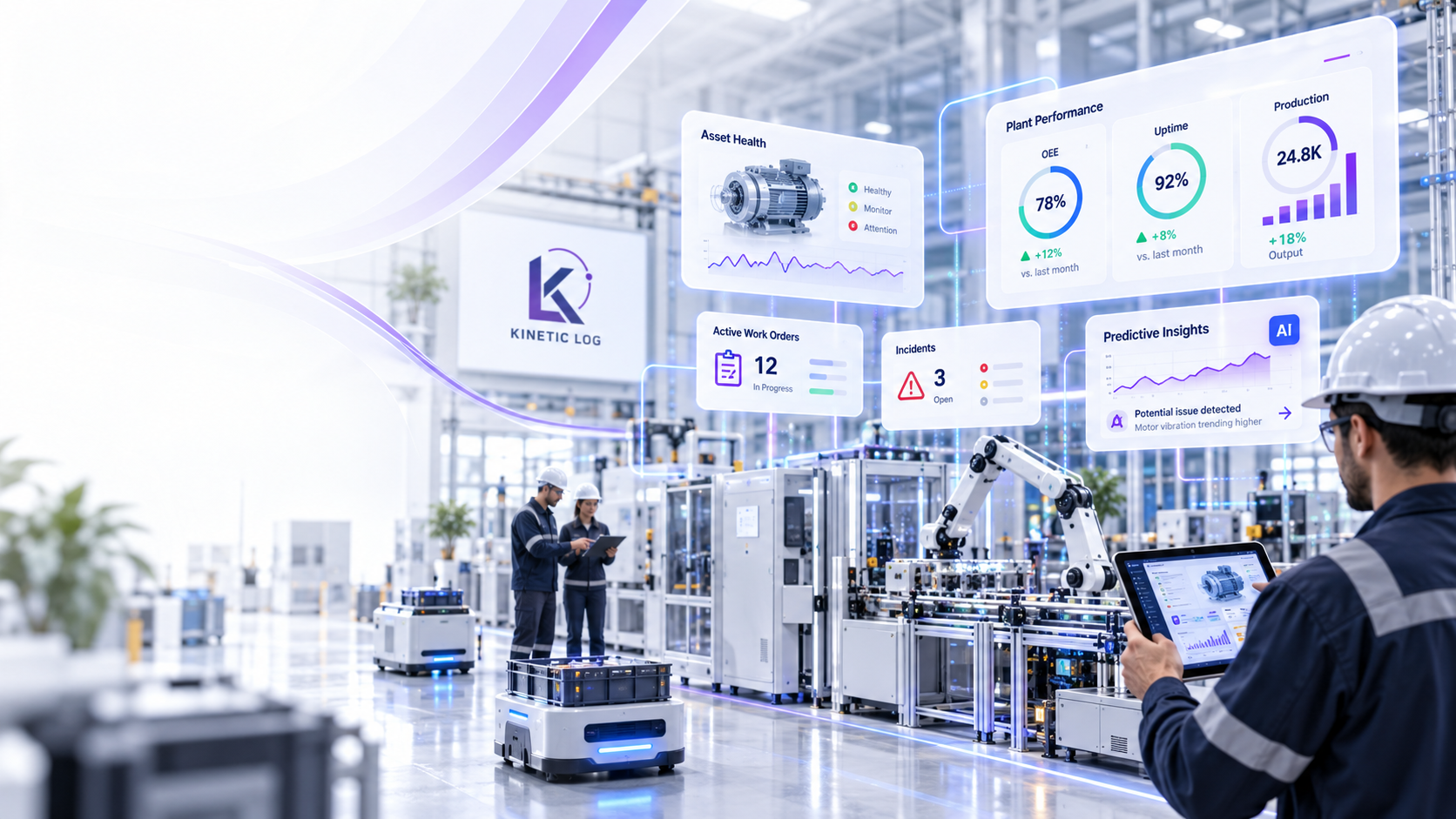
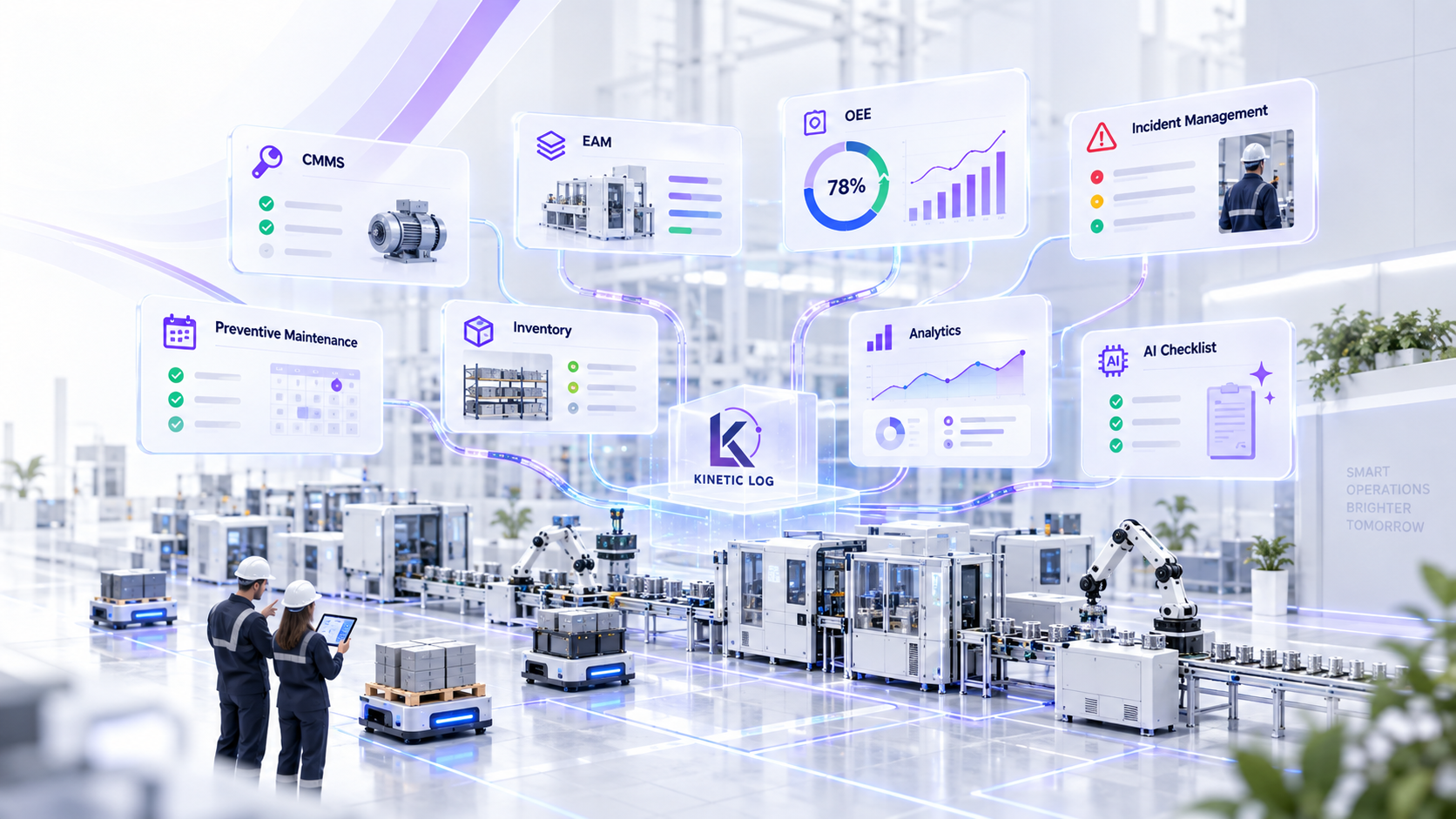
Kinetic Log unifies CMMS, EAM, OEE, incident management, AI-powered maintenance, predictive insights, and inventory in one connected system.
Connect maintenance, assets, production performance and intelligence in one operating layer instead of managing them as separate islands.
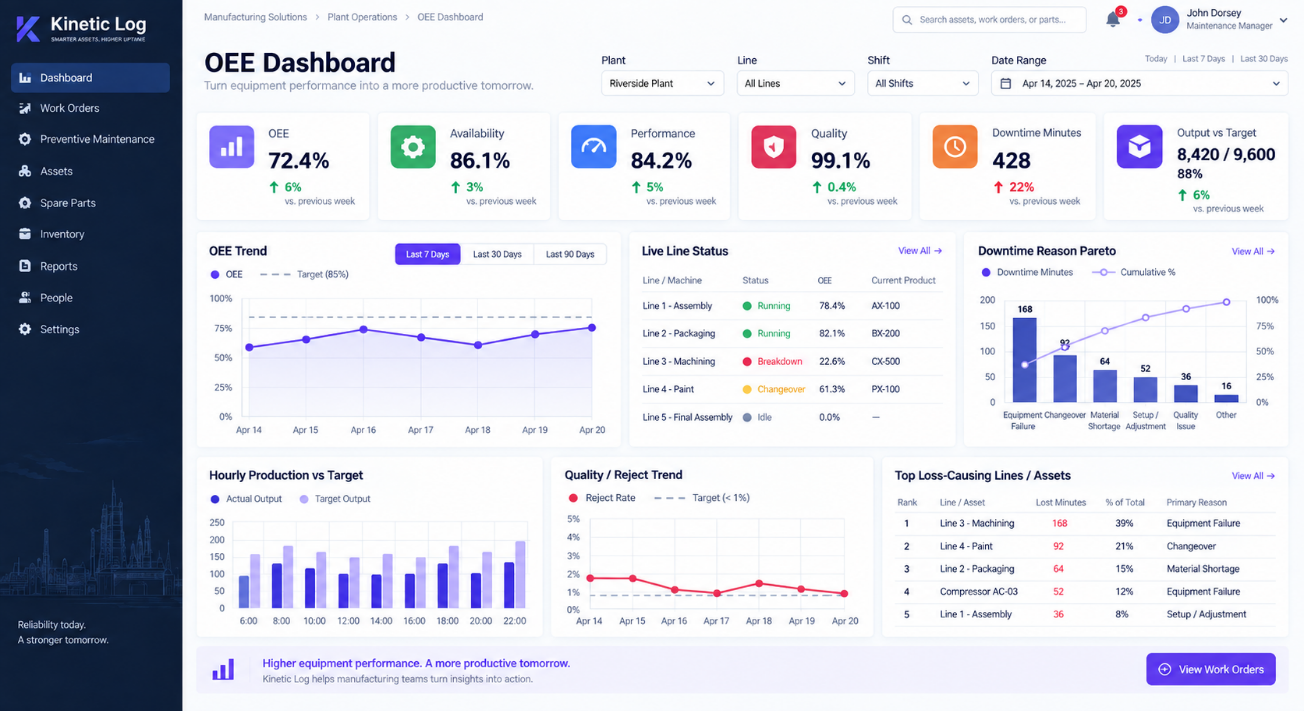
Separate dashboards for CMMS + EAM and OEE keep each team focused, while the underlying operating model keeps asset maintenance and production losses connected.
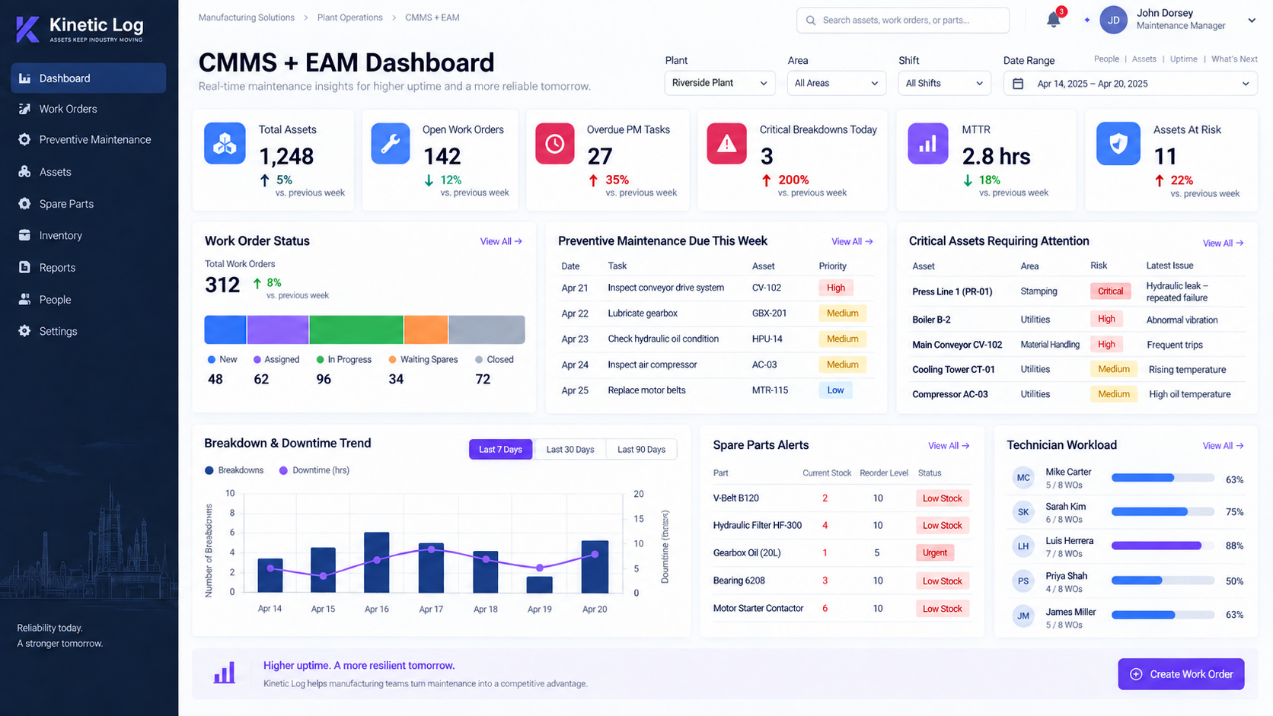
From the first incident to the final improvement, Kinetic Log keeps every action, decision, and result connected.
See It In Action ↗Create, classify, assign, investigate, prioritize, and track equipment, safety, quality, environmental, and production incidents through closure.
Turn incidents, alarms, inspection failures, and OEE losses into work orders, approvals, escalations, notifications, and corrective actions.
Schedule tasks by calendar, runtime, cycles, meters, condition, season, or manufacturer guidance with digital checklists and compliance tracking.
Manage catalogs, bins, suppliers, reservations, minimum stock, reorder alerts, purchase requests, issues, returns, and asset-linked consumption.
Generate step-by-step maintenance checklists from asset type, task, procedure, history, and risk—then refine them with technician feedback.
Ask natural-language questions about alarms, downtime, failures, readings, work orders, parts, and maintenance history through the AI maintenance assistant.
Use sensor readings, condition trends, anomaly alerts, and failure history to identify risk earlier and plan intervention before breakdowns.
Analyze MTBF, MTTR, failure modes, repeat failures, root causes, corrective actions, asset criticality, and total cost of ownership.
Let operators and technicians capture observations, photos, readings, signatures, comments, and completion status from the shop floor.
Build a structured asset register with hierarchy, location, specifications, ownership, documents and criticality—while maintaining a complete asset log of work orders, breakdowns, inspections, parts usage, readings and maintenance history.
Standardize processes across plants while preserving local teams, assets, shifts, permissions, workflows, and performance targets.
Connect ERP, MES, PLCs, sensors, IoT, quality, purchasing, identity, and other factory systems through integrations and APIs.
Turn maintenance history, asset records, failures, and operational data into a conversational interface for the maintenance team.
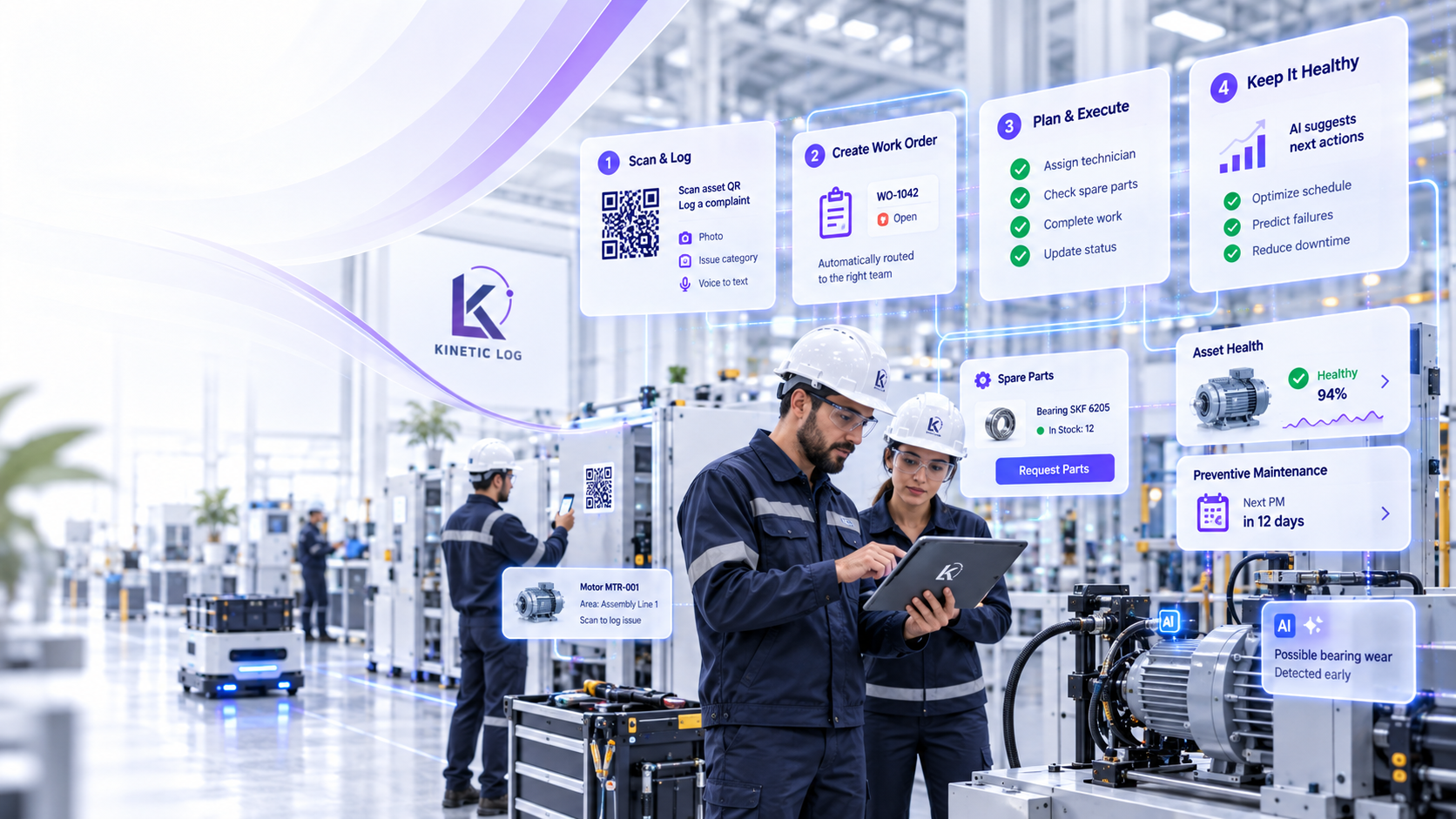
Empower your maintenance team with the right information, at the right time, on any device. Get more done, with less effort.
Turn a shop-floor problem into an owned, prioritized work order in seconds, then carry the same context through execution, root cause and asset history.
Capture the problem at the asset with QR, photo, voice and context — no paper, no disconnected calls.
The issue becomes an actionable work order with the right owner, priority, SLA and asset history already attached.
Standardize the job with guided steps, readings and completion evidence.
Record parts, observations, failure cause and corrective action in the same job.
Every closure strengthens the asset log and improves future maintenance decisions.
Kinetic Log adapts the same connected maintenance and production-intelligence model across very different plant environments.
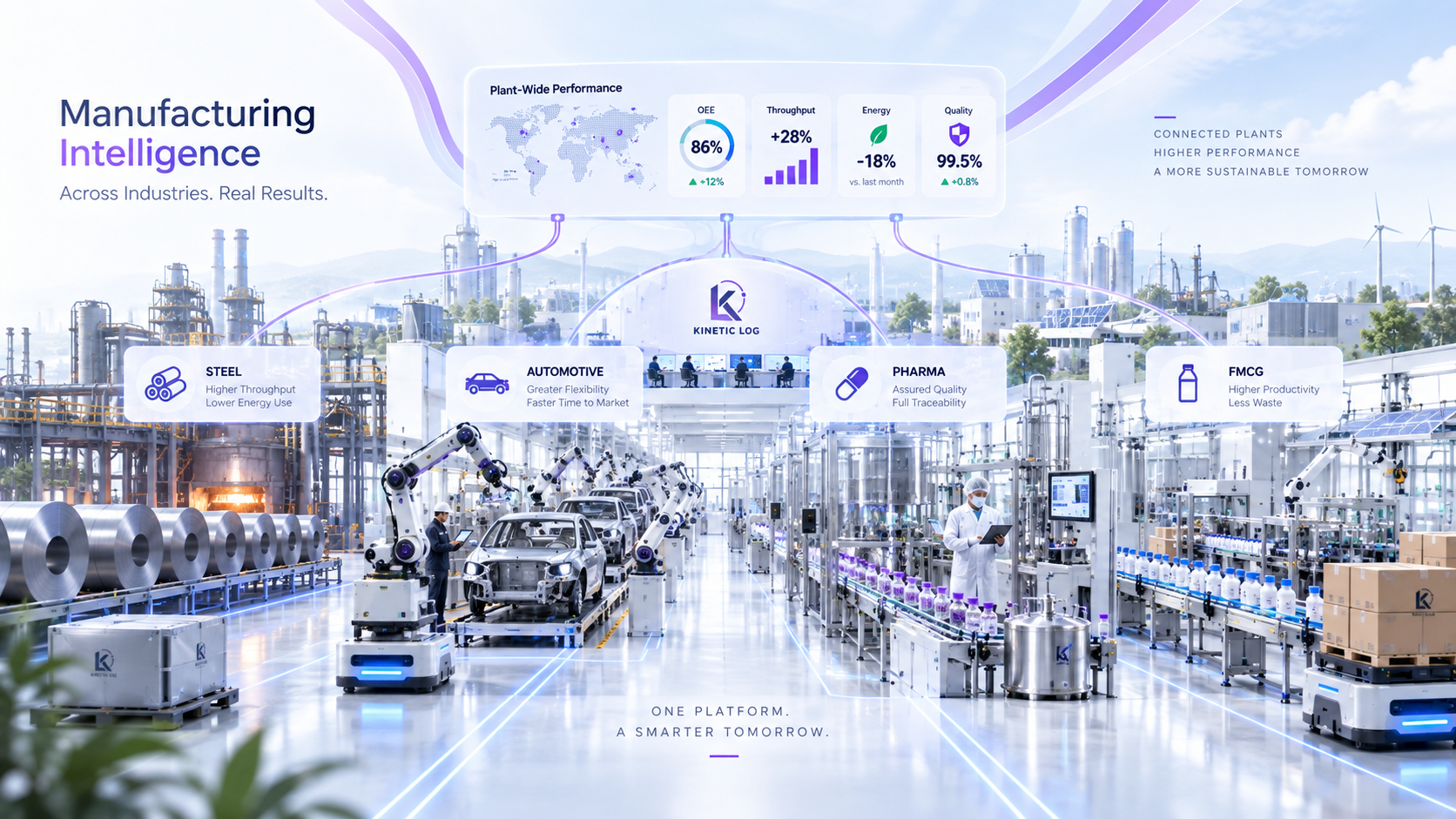
Keep maintenance, assets, OEE and shop-floor action connected across diverse manufacturing environments.
Monitor critical rotating assets, breakdown response, maintenance planning and production-loss visibility across demanding plant operations.
Support line-side maintenance execution, preventive planning, technician accountability and OEE improvement in fast-moving assembly environments.
Maintain structured equipment history, traceable maintenance records and digital PM execution for quality-sensitive and controlled operations.
Improve shift-wise production visibility, response speed, line coordination and maintenance consistency across high-volume packaging and process lines.
Software-First Today. AI And Sensor-Ready Tomorrow.
Turn maintenance into measurable business value — higher performance today and a stronger, smarter operation for tomorrow.

Straight answers for maintenance leaders, plant teams and management evaluating Kinetic Log.
Yes—Kinetic Log is designed to work well for a single small or mid-size plant as well as for larger multi-site operations. A plant can begin with the workflows it needs today, without carrying the complexity of a large enterprise rollout. As the operation grows, the same platform can extend across more assets, production lines, modules and sites, helping you standardize without changing systems again.
No rip-and-replace is required. Kinetic Log is designed to sit alongside systems such as ERP, SAP, Tally, MES and other business applications. Your finance, procurement or enterprise records can remain where they are, while Kinetic Log becomes the operational layer for maintenance execution, asset history, work orders, OEE and production intelligence. Where required, data can be exchanged through APIs, imports or system-specific integration methods.
Absolutely. A phased rollout is often the best way to create adoption. You can start with CMMS—assets, complaints, work orders and preventive maintenance—and then add inventory, EAM capabilities, OEE, production tracking, AI assistance and additional integrations as your team is ready. This keeps the first implementation focused while protecting your long-term roadmap.
Yes. Existing asset registers, preventive-maintenance schedules, spare-part lists, technician records, open work orders and available maintenance history can be mapped into Kinetic Log. The migration approach depends on the quality and format of your current data, so the practical process is to map, clean, validate and import the information that will create value from day one.
Kinetic Log is designed to be integration-ready. It can connect with ERP and MES applications, SCADA environments, PLC or gateway data, IoT sensors, condition-monitoring systems and other plant applications through APIs and appropriate interfaces. The exact integration method depends on the source system, protocol and data access available. You can also start software-first and add machine or sensor integrations later.
The goal is not to give your maintenance team a generic chatbot. Kinetic Log can combine general AI intelligence with the operational context you authorize—such as asset records, work-order history, failure observations, checklists, SOPs, downtime information and connected plant data. That allows the assistant to provide answers grounded in your maintenance environment, without requiring you to train a foundation model from scratch.
Yes. Kinetic Log is intended to adapt to the way your plant operates. Workflows can be configured around priorities, approvals, roles, SLAs, escalation paths, notifications, checklists, incident categories, downtime reasons and other plant-specific rules. The objective is to digitize and strengthen your operating process—not force your team into a rigid one-size-fits-all workflow.